
















Order this product in Torry's Discounts and save 10-20% !
TRichView+ReportWorkshop
TRichView is a set of native Delphi components for displaying, editing and printing hypertext documents.
The components support various character attributes (fonts, subscripts/superscripts, colored text background, custom character stretching and spacing, custom drawn text).
Documents can contain:
- tables,
- pictures
- images from imagelists,
- footnotes and endnotes,
- Delphi controls,
- text boxes,
- multilevel bullets and numbering,
- items of other types.
Left, right, center, justified and distributed alignments of paragraphs, custom margins and indents, semitransparent backgrounds, styles, Unicode and bi-directional text, background images, print preview, export to HTML and DocX, RTF import and export, live spell, data-aware versions and more...
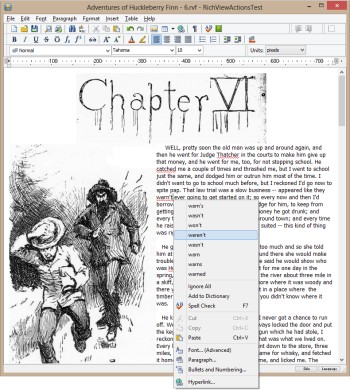
RichViewActions is a set of components and actions for creating a user interface for word processing applications (a free add-on to TRichView). RichViewActions include not only basic actions (like "make bold"), but special UI controls (for example, a combo box for applying styles to text and paragraphs) and ready-to-use dialogs covering the full range of word processor design (printing and preview, text and paragraph attributes, object properties, etc.)
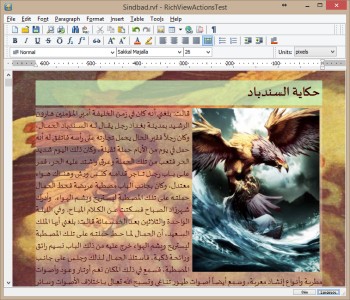
RichViewActions are translated to about 30 languages, and offer original high-quality toolbar images.
Report Workshop is a set of reporting VCL components. It is useful for everyone who wants to display data in a clean, professional-looking and attractive way.
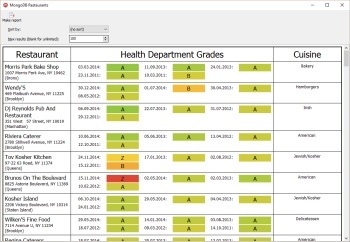
Report Workshop allows designing and generating reports in TRichView editor. Both report templates and report results are word processing documents, so you can print them, export to PDF (using third-party libraries), HTML, DocX, RTF, apply styles to change their appearance, or edit them.
In Report Workshop, users can design reports using a familiar user interface of a rich text editor, with additional commands allowing to associate data with a whole document, a table or its fragment. There are also commands for building pivot tables (cross tabulation) and visualizing numeric values.
Report Workshop includes data provider components working with standard Delphi components (FireDAC, MongoDB, InterBase Express, dbExpress, ADO/dbGo, BDE) and popular third-party components (DevArt’s UniDAC and other DACs, MicroOLAP’s DACs, AbsoluteDB, ElevateDB, DBISAM, NexusDB, ZEOS Library), and a universal data provider component. They work ’out of the box’: the Setup installs everything automatically, if it is possible.
In Report Workshop, users can insert special fields in document: data fields (will be replaced to data: text, numbers, rich text, images), variables (text or images), aggregation functions, commands.
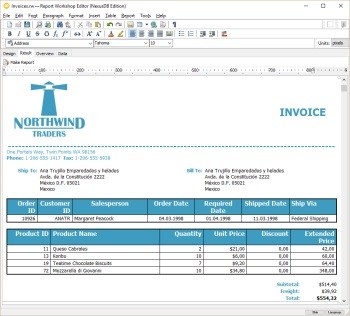
Report Workshop is implemented as an add-on for TRichView components.
Order this product in Torry's Discounts and save 10-20% !